By following this blog post on building a Docker image using AWS EC2 Image Builder, organizations can manage their Docker images more easily and efficiently.
📚 Concepts
- Container Recipe : A container recipe in EC2 Image Builder defines all of the software requirements for building a Docker image. This includes the base image, the packages and applications to install, and the environment variables to set.
- Infrastructure configuration in EC2 Image Builder is the set of settings that define the EC2 instance that is used to build and test the Docker image.
- Distribution Settings: Distribution settings in EC2 Image Builder define where your Docker image will be available for download after it is built. You can distribute your image
💻 Demo
- Prerequisite
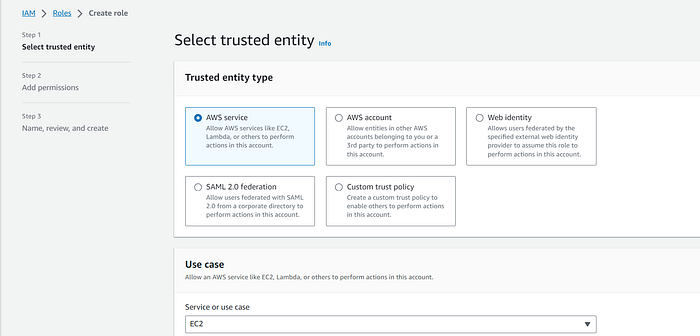
- IAM Role
👉 Select EC2 for Service
👉 Select the below permission. These permissions are required for EC2-image-builder
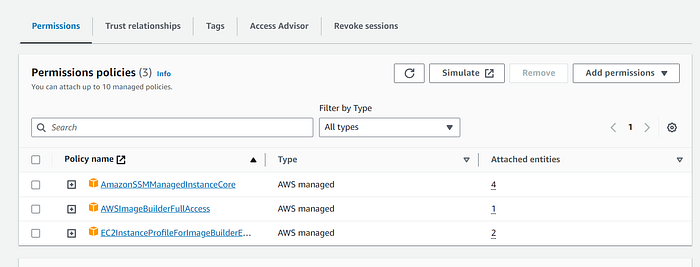
👉 Now that you have successfully created the role. Make a note of the IAM Role name this will be used later.
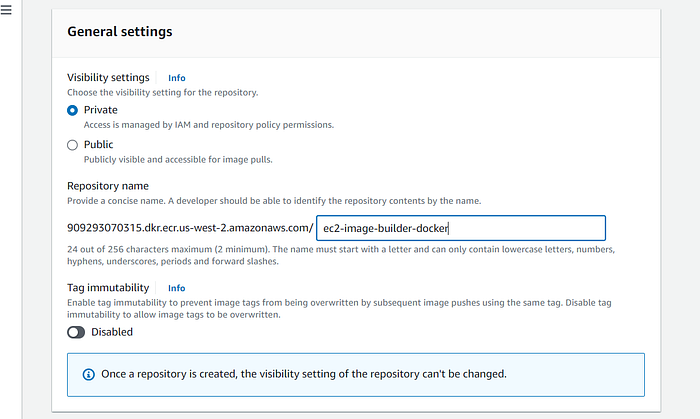
👉 ECR Repository is also a prereq. Go to ECR and click on create repository and provide the name
- Create a S3 Bucket. This will be used to download ansible playbooks.
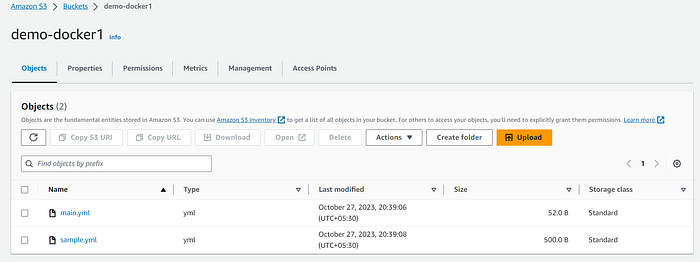
- In order to create the file sample.yml use the below code block
- hosts: all
  hosts: localhost
  connection: local
  tasks:
  - name: Install Updates
    become: true
    become_user: root
    shell: yum -y update
  - name: Installing boto3
    become: true
    become_user: root
    shell: python3 -m pip install boto3 --upgrade
    when: ansible_distribution=='amzn2'
  - name: Install Pre-req
    yum:
      name: "{{packages}}"
      state: latest
    vars:
      packages:
      - wget
      - unzip
      - curl
      - jq
      - sssd
      - realmd
👉 In order to create main.yml use the below code block.
---
- name: sample
  import_playbook: sample.yml
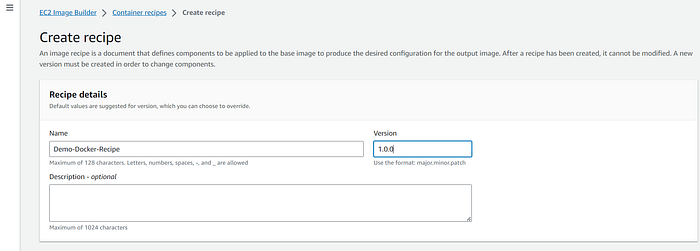
👉 Create a Container recipe
- Provide the recipe name
- version
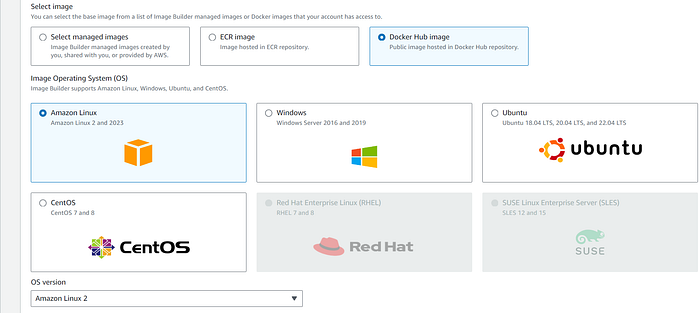
👉 Select the image
- Choose Docker hub image
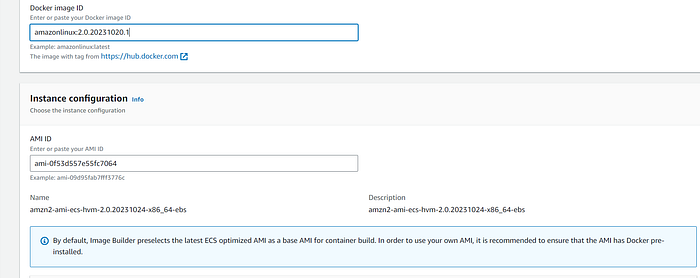
👉 Provide Docker Image ID
👉 Storage and working directory can be left with defaults.
👉 You have to choose the build component.
- select update-Linux
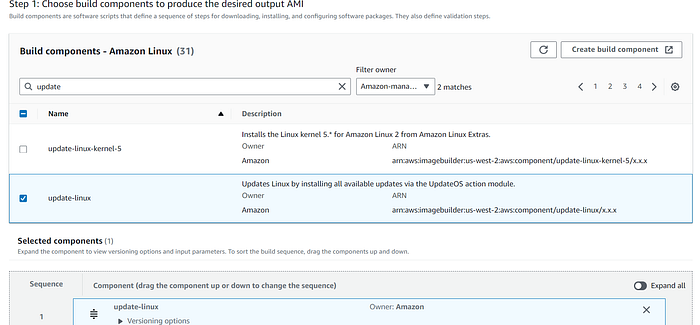
👉 For test-component , I haven't choose anything for this demo.
👉 Add the below code to Docker file template. feel free to add your AWS access and secret key
FROM amazonlinux:2.0.20231020.1
RUN yum update -y
RUN amazon-linux-extras install ansible2 -y
RUN yum -y install python3-pip
RUN pip3 install awscli

ENV AWS_ACCESS_KEY_ID=
ENV AWS_SECRET_ACCESS_KEY=
RUN aws s3 cp s3://demo-docker1/main.yml /tmp/main.yml
RUN aws s3 cp s3://demo-docker1/sample.yml /tmp/sample.yml
WORKDIR /tmp
RUN ["ansible-playbook", "main.yml"]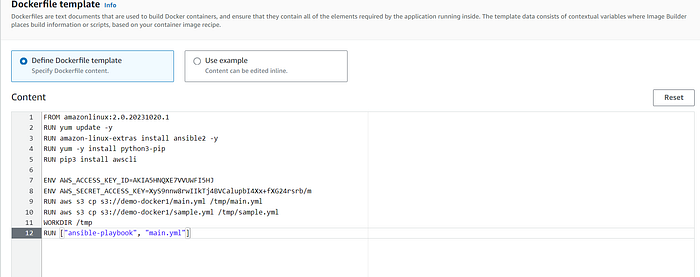
👉 Choose the ECR repo which you created in the beginning.
- Click on create recipe
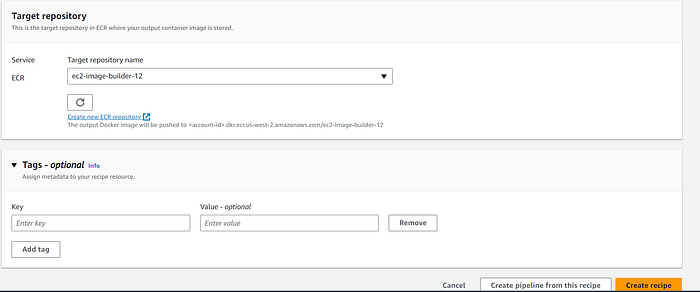
👉 Choose create pipeline from this recipe
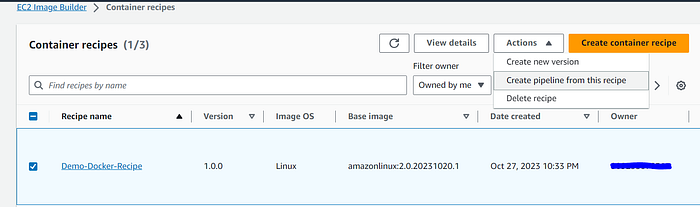
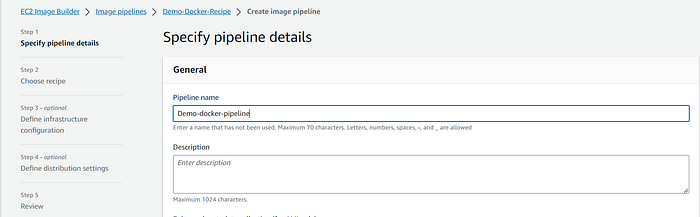
👉 Provide the pipeline name
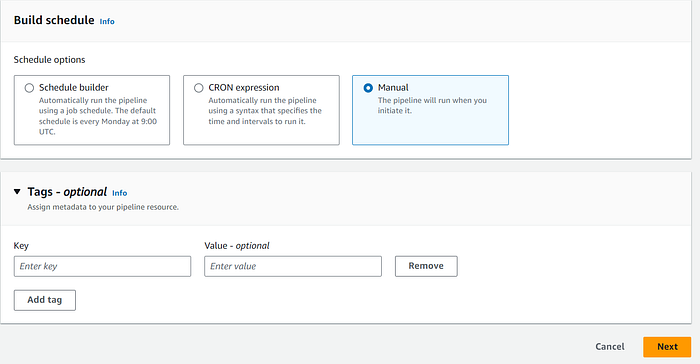
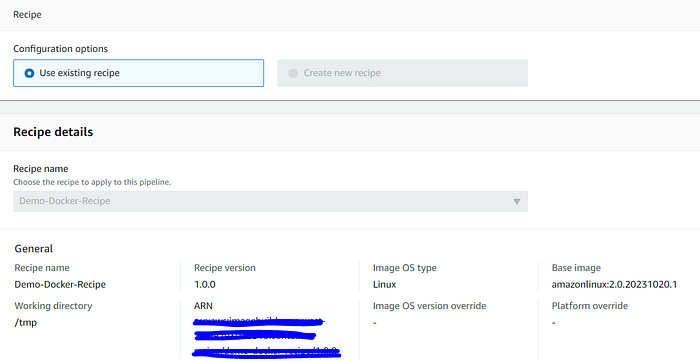
👉 Choose build schedule to manual and click on next. The recipe which we created in the beginning will show up. click on next.
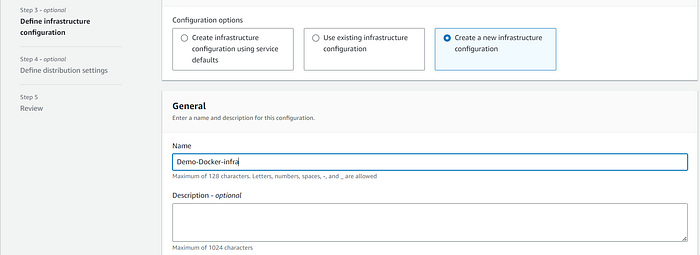
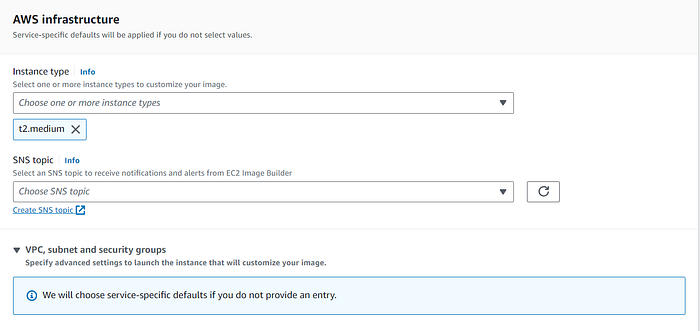
👉 Choose Create Infrastructure creation
- Provide : IAM Role create in the beginning of the demo
- Choose Instance type
- For the purpose of this demo, I have chosen default VPC and make sure the security group has port 443 enabled. Leave the rest to defaults and click on next
👉 Choose the distribution settings. Select ECR repo which we created in the beginning.
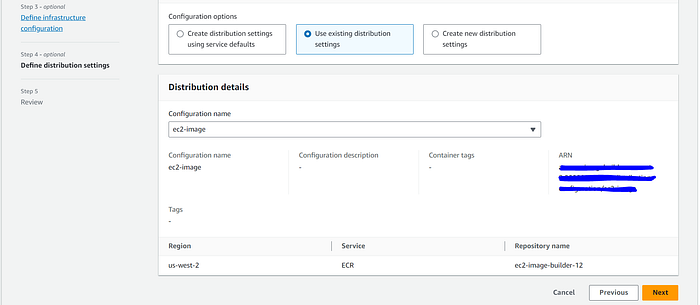
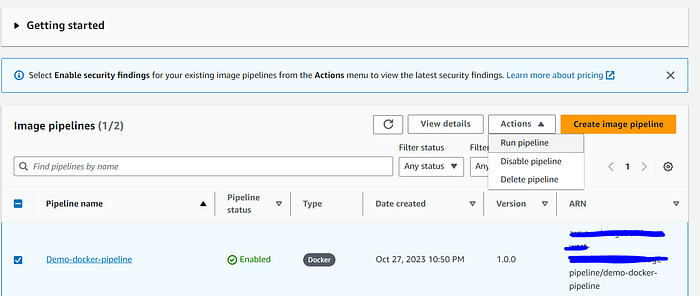
Now that we have completed all the Steps required for a pipeline. Pipeline is created successfully.
👉 Click on Run pipeline.
⌚️ It's time for us to watch the workflow
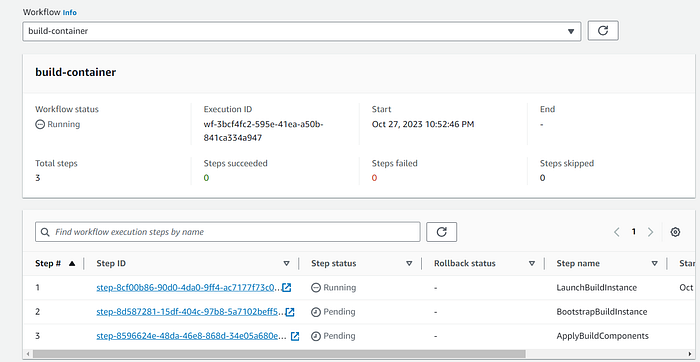
💁 Builder instance will be launched where the docker image will be created in the infrastructure setting we choose

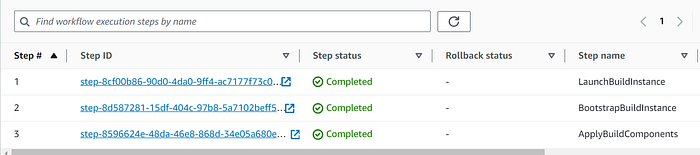
👉 Make sure all the Steps in Image creation is success.
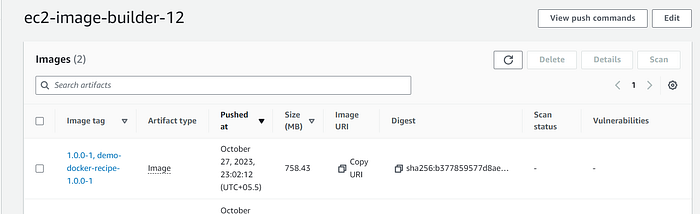
🏆 The Docker Image is successfully stored in ECR.
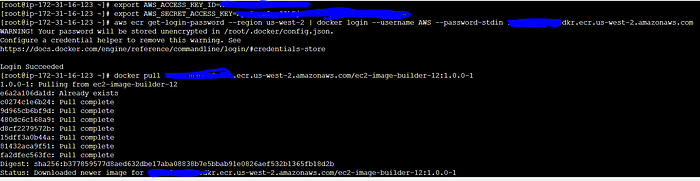
👉 Last step let's verify the software what ever required is installed in docker image.
Follow the below steps to verify the software are installed.
In the Ansible playbook, we installed jq, curl and wget.

✏️ I'm a passionate writer about Devops, AWS, Finops and Automation. Follow me on Medium to read more of my work.