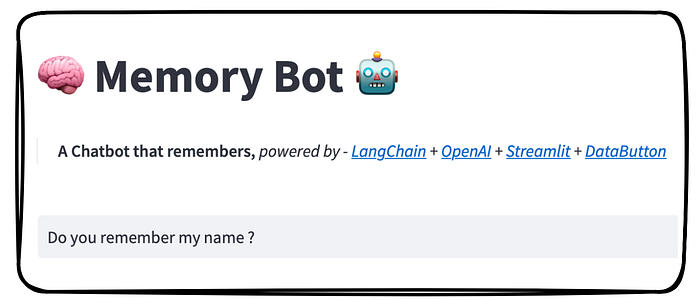

🧠 Memory Bot 🤖 — An easy up-to-date implementation of ChatGPT API, the GPT-3.5-Turbo model, with LangChain AI's 🦜 — ConversationChain memory module with Streamlit front-end.
👨🏾💻 GitHub ⭐️| 🐦 Twitter | 📹 YouTube | ☕️ BuyMeaCoffee | Ko-fi💜
Introduction
With the emergence of Large Language Models (LLMs), AI technologies have advanced to a level where humans can converse with chatbots in a way that resembles human conversation. In my opinion, chatbots are poised to become an essential component of our daily lives for a wide range of problem-solving tasks. We will soon encounter chatbots in various domains, including customer service and personal assistance.
Let me highlight the relevance of this blog post, by addressing the important context in our day-to-day conversation. Conversations are natural ways for humans to communicate and exchange informations. In conversations, we humans rely on our memory to remember what has been previously discussed (i.e. the context), and to use that information to generate relevant responses. Likewise, instead of humans if we now include chatbots with whom we would like to converse, the ability to remember the context of the conversation is important for providing a seamless and natural conversational experience.
"In a world where you can be anything, be kind. And one of the simplest ways to do that is through conversation" — Karamo Brown
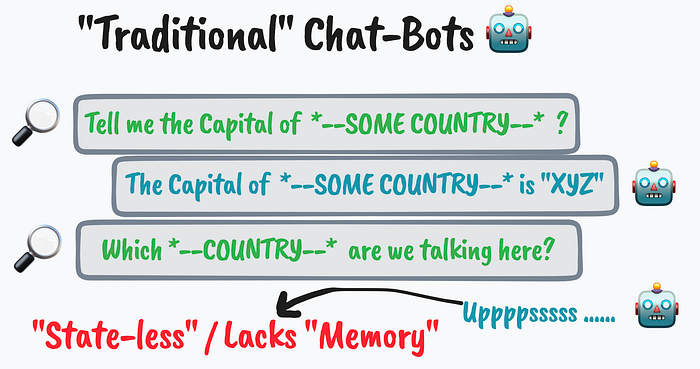
Now, imagine a chatbot that is stateless, i.e. the chatbot treats each incoming query/input from the user independently — and forgets about the past conversations or context ( in simpler terms they lack the memory ). I'm certain, we all are used to such AI assistants or chatbots.I would refer to them here as traditional chatbots.
A major drawback of traditional chatbots is that they can't provide a seamless and natural conversational experience for users. Since they don't remember the context of the conversation, users often have to repeat themselves or provide additional information that they've already shared. Another issue can sometimes be irrelevant or "off-topic". Without such abilities, it's more difficult for these chatbots to generate coherent and relevant responses based on what has been discussed. This can lead to frustrating and a less satisfying user experience.
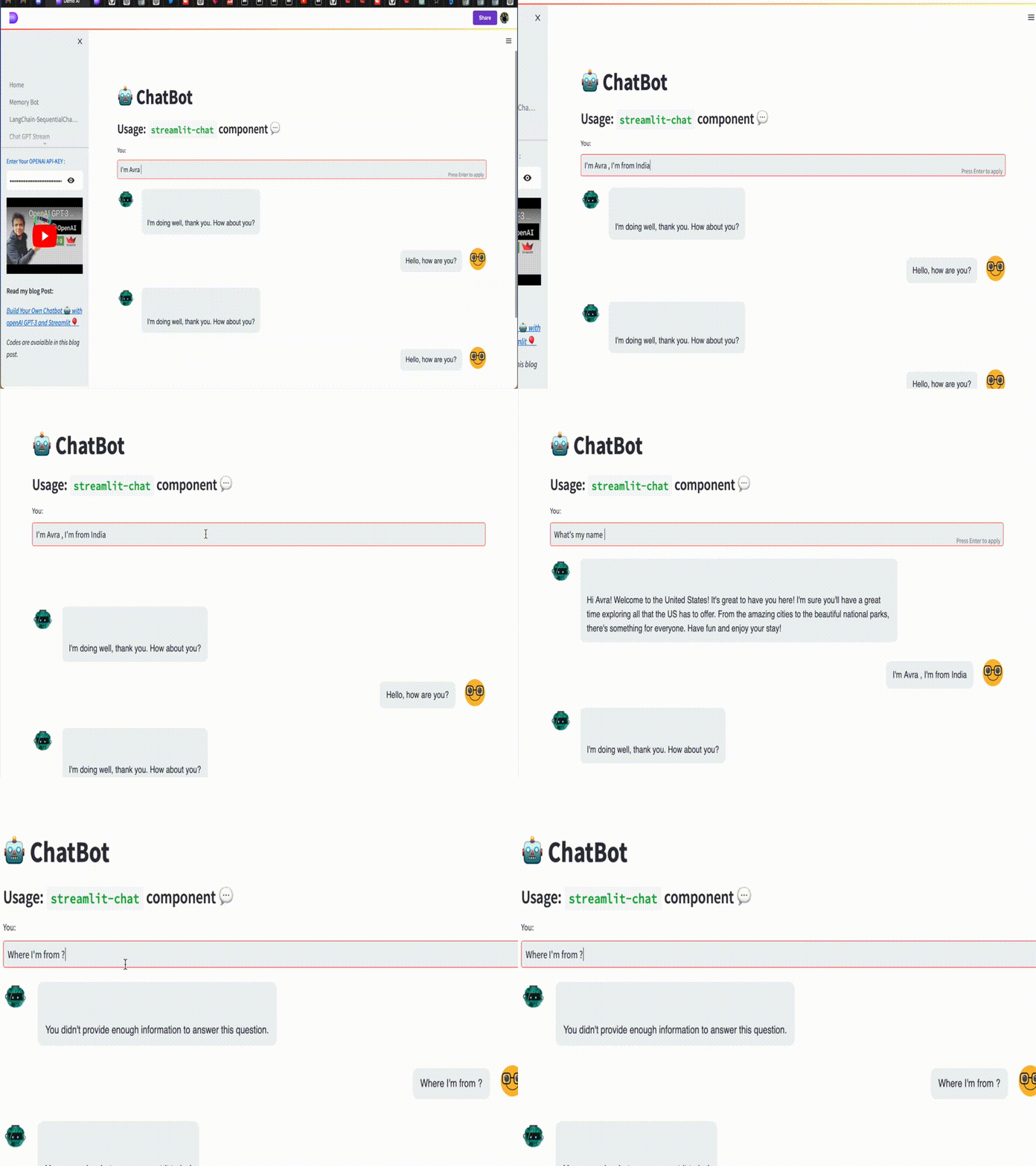
I've a blog post and YouTube video explaining how to build such traditional or simple Chatbot. Here's a quick recap and live app to try.
However, in this blog post, we will be introducing our chatbot that overcomes the limitations of traditional chatbots. Our chatbot will have the ability to remember the context of the conversation, making it a more natural and seamless experience for the users. We like to call it the "MemoryBot" 🧠 🤖
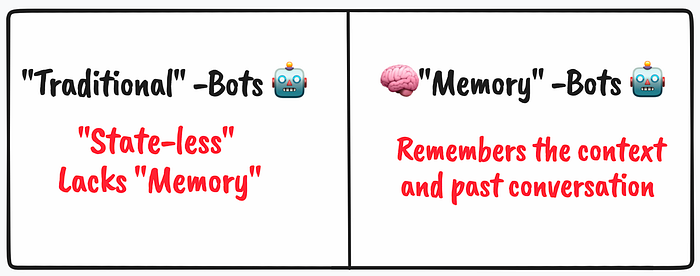
Building the 🧠 Memory Bot 🤖
The following resources will be instrumental in our development,
- OpenAI is a research organization that aims to create advanced artificial intelligence in a safe and beneficial way. They have developed several large language models (LLMs) like GPT-3, which are capable of understanding and generating human-like language. These models are trained on vast amounts of data and can perform tasks such as language translation, summarization, question answering, and more. The models offered can be accessed via API keys. In order to create one, please follow my other blog posts and tutorial videos (refer to the related blog section below ). Open AI also provides a Python package to work with. For installation use,
pip install openai - LangChain is a Python library that provides a standard interface for memory and a collection of memory implementations for chatbots. It also includes examples of chains/agents that use memory, making it easy for developers to incorporate conversational memory into their chatbots using LangChain.LangChain's memory module for chatbots is designed to enable conversational memory for large language models (LLMs). For installation use,
pip install langchain - Streamlit is an open-source app framework for building data science and machine learning web applications. It allows developers to create interactive web applications with simple Python scripts. For installation use,
pip install streamlit - DataButton is an online workspace for creating full-stack web apps in Python. From writing Python scripts to building a web app in Streamlit framework and finally to deployment in the server— all come in a single workspace. Moreover, you can skip the above packages installation steps. Instead, directly plug-in those package name in the configuration space which DataButton provides and leave the rest on DataButton to handle ! You can gain free access to their tools by signing up and start building one for yourself.
Workflow
Model: We will be using the very latest, ChatGPT API, the GPT-3.5-Turbo large language model which OpenAI offers — that can understand as well as generate natural language or code. As Open AI claims it is one of the most capable and cost-effective models they offer at this moment in the GPT3.5 family. ( read more here )
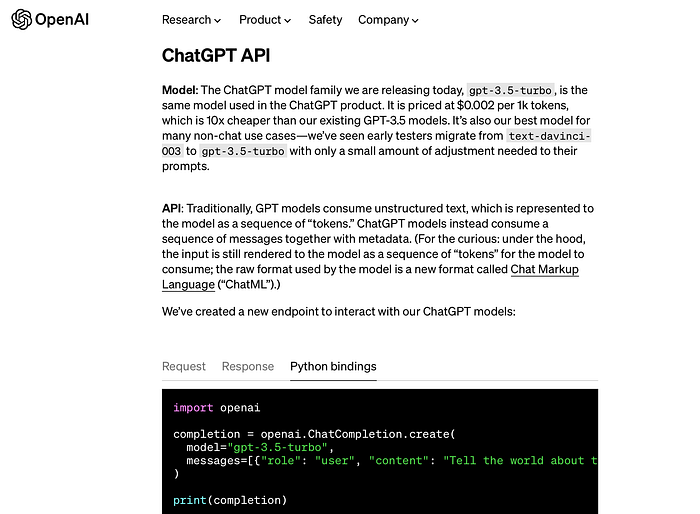
ConversationChain and Memory: One of the key core components which LangChain provides us with are — chains. Please refer to my earlier blog post to have a detailed understanding on how it works and one of its use-cases in integrating LLMs.
We will use a combination of chains: ConversationChain (has a simple type of memory that remembers all previous inputs/outputs and adds them to the context that is passed) and memory comprising of (a) buffer, which can accept the n number of user interactions as context (b) summary, that can summarize the past conversations. At times both (a) and (b) can be included together as a memory.
We will try to implement a relatively sophisticated memory called "Entity Memory" , compared to other available memory available in this module. EntityMemory is best defined in LangChain AI's official docs, "A more complex form of memory is remembering information about specific entities in the conversation. This is a more direct and organized way of remembering information over time. Putting it in a more structured form also has the benefit of allowing easy inspection of what is known about specific entities"
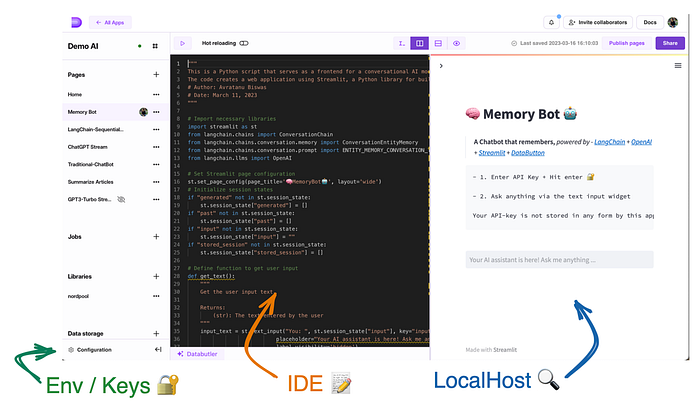
Front-end development: To build the chatbot, we'll be using the online DataButton platform which has a in-built code editor ( IDE ), a package plus configuration maintenance environment, alongside with a space to view the development in real-time ( i.e. localhost ). Since DataButton utilizes the Streamlit framework, the code can be written with simple Streamlit syntax.
Alternatively, the entire front-end process can also be developed locally via typical Streamlit-Python Web app development workflow which I've discussed several times over my YouTube / blog posts tutorial. Briefly, it follow,
- Writing and testing the code locally in the computer
- Adding the dependencies as
requirements.txtfile - Pushing to the GitHub and deployment over the Streamlit cloud
Please refer to my other Streamlit-based blog posts and YouTube tutorials.
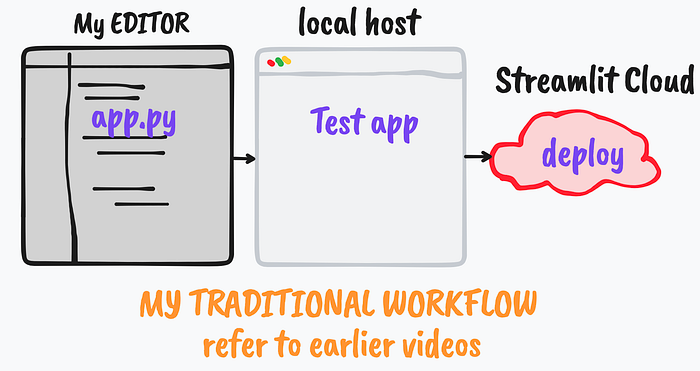
Moreover, both the above-mentioned methods, at this moment allows free-hosting of web apps. Please refer to the respective official websites for further details.
The Code
We will now move to the main section of developing our Memory Bot with very few lines of python syntax.
- We will start with importing necessary libraries ,
import streamlit as st
from langchain.chains import ConversationChain
from langchain.chains.conversation.memory import ConversationEntityMemory
from langchain.chains.conversation.prompt import ENTITY_MEMORY_CONVERSATION_TEMPLATE
from langchain.llms import OpenAI- Followed by , setting up the Streamlit page configuration. Not critical, but can be a nice UI add-on to the Web App. ( refer to the doc )
st.set_page_config(page_title='🧠MemoryBot🤖', layout='wide')- Initialize session states. One of the critical steps — since the conversation between the user input, as well as the memory of 'chains of thoughts' needs to be stored at every reruns of the app
Session state is useful to store or cache variables to avoid loss of assigned variables during default workflow/rerun of the Streamlit web app. I've discussed this in my previous blog posts and video as well — do refer to them. Also( refer to the official doc ).
if "generated" not in st.session_state:
    st.session_state["generated"] = []
if "past" not in st.session_state:
    st.session_state["past"] = []
if "input" not in st.session_state:
    st.session_state["input"] = ""
if "stored_session" not in st.session_state:
st.session_state["stored_session"] = []- We'll define a function to get the user input. Typically not necessary to wrap within a function, but why not …
def get_text():
    """
    Get the user input text.
    Returns:
        (str): The text entered by the user
    """
    input_text = st.text_input("You: ", st.session_state["input"], key="input",
                            placeholder="Your AI assistant here! Ask me anything ...",
                            label_visibility='hidden')
return input_text- Additional feature : Start a new chat, at times — we might want our Memory Bot to erase its memory / context of the conversation and start a new one. This function can be super useful in such circumstances,
def new_chat():
    """
    Clears session state and starts a new chat.
    """
    save = []
    for i in range(len(st.session_state['generated'])-1, -1, -1):
        save.append("User:" + st.session_state["past"][i])
        save.append("Bot:" + st.session_state["generated"][i])
    st.session_state["stored_session"].append(save)
    st.session_state["generated"] = []
    st.session_state["past"] = []
    st.session_state["input"] = ""
    st.session_state.entity_memory.store = {}
st.session_state.entity_memory.buffer.clear()- Some config for a user to play with: Options to preview the buffer and the memory. Also changing to different GPT-3 offered models.
with st.sidebar.expander(" 🛠️ Settings ", expanded=False):
    # Option to preview memory store
    if st.checkbox("Preview memory store"):
        st.write(st.session_state.entity_memory.store)
    # Option to preview memory buffer
    if st.checkbox("Preview memory buffer"):
        st.write(st.session_state.entity_memory.buffer)
    MODEL = st.selectbox(label='Model', options=['gpt-3.5-turbo','text-davinci-003','text-davinci-002','code-davinci-002'])
    K = st.number_input(' (#)Summary of prompts to consider',min_value=3,max_value=1000)
- Set up the App Layout and widget to accept secret API key
# Set up the Streamlit app layout
st.title("🧠 Memory Bot 🤖")
st.markdown(
        '''
        > :black[**A Chatbot that remembers,**  *powered by -  [LangChain]('https://langchain.readthedocs.io/en/latest/modules/memory.html#memory') +
        [OpenAI]('https://platform.openai.com/docs/models/gpt-3-5') +
        [Streamlit]('https://streamlit.io') + [DataButton](https://www.databutton.io/)*]
        ''')
# st.markdown(" > Powered by -  🦜 LangChain + OpenAI + Streamlit")

# Ask the user to enter their OpenAI API key
API_O = st.sidebar.text_input(":blue[Enter Your OPENAI API-KEY :]",
                placeholder="Paste your OpenAI API key here (sk-...)",
                type="password") # Session state storage would be ideal
Creating key Objects: This is a very crucial part of the code
- Open AI Instance needs to be created which will be later called
- ConversationEntityMemory is stored as session state
- ConversationChain is initiated.
Storing the Memory as Session State is pivotal otherwise the memory will get lost during the app re-run. A perfect example to use Session State while using Streamlit.
if API_O:
    # Create an OpenAI instance
    llm = OpenAI(temperature=0,
                openai_api_key=API_O,
                model_name=MODEL,
                verbose=False)


    # Create a ConversationEntityMemory object if not already created
    if 'entity_memory' not in st.session_state:
            st.session_state.entity_memory = ConversationEntityMemory(llm=llm, k=K )

        # Create the ConversationChain object with the specified configuration
    Conversation = ConversationChain(
            llm=llm,
            prompt=ENTITY_MEMORY_CONVERSATION_TEMPLATE,
            memory=st.session_state.entity_memory
        )
else:
    st.markdown('''
        ```
        - 1. Enter API Key + Hit enter 🔐

        - 2. Ask anything via the text input widget

        Your API-key is not stored in any form by this app. However, for transparency ensure to delete your API once used.
        ```

        ''')
    st.sidebar.warning('API key required to try this app.The API key is not stored in any form.')
# st.sidebar.info("Your API-key is not stored in any form by this app. However, for transparency ensure to delete your API once used.")- Implementing a Button to Clear the memory and calling the
new_chat()function which we wrote about earlier,
st.sidebar.button("New Chat", on_click = new_chat, type='primary')- Get the user INPUT and RUN the chain. Also, store them — that can be dumped in the future in a chat conversation format.
user_input = get_text()
if user_input:
    output = Conversation.run(input=user_input)
    st.session_state.past.append(user_input)
st.session_state.generated.append(output)- Display the conversation history using an expander, and allow the user to download it.
# Allow to download as well
download_str = []
# Display the conversation history using an expander, and allow the user to download it
with st.expander("Conversation", expanded=True):
    for i in range(len(st.session_state['generated'])-1, -1, -1):
        st.info(st.session_state["past"][i],icon="🧐")
        st.success(st.session_state["generated"][i], icon="🤖")
        download_str.append(st.session_state["past"][i])
        download_str.append(st.session_state["generated"][i])

    # Can throw error - requires fix
    download_str = '\n'.join(download_str)
    if download_str:
st.download_button('Download',download_str)- Additional features ( not well tested …)
# Display stored conversation sessions in the sidebar
for i, sublist in enumerate(st.session_state.stored_session):
        with st.sidebar.expander(label= f"Conversation-Session:{i}"):
            st.write(sublist)

# Allow the user to clear all stored conversation sessions
if st.session_state.stored_session:
    if st.sidebar.checkbox("Clear-all"):
        del st.session_state.stored_session
We have built the Memory Bot app ✅
How does the app look now ? — a quick demo,
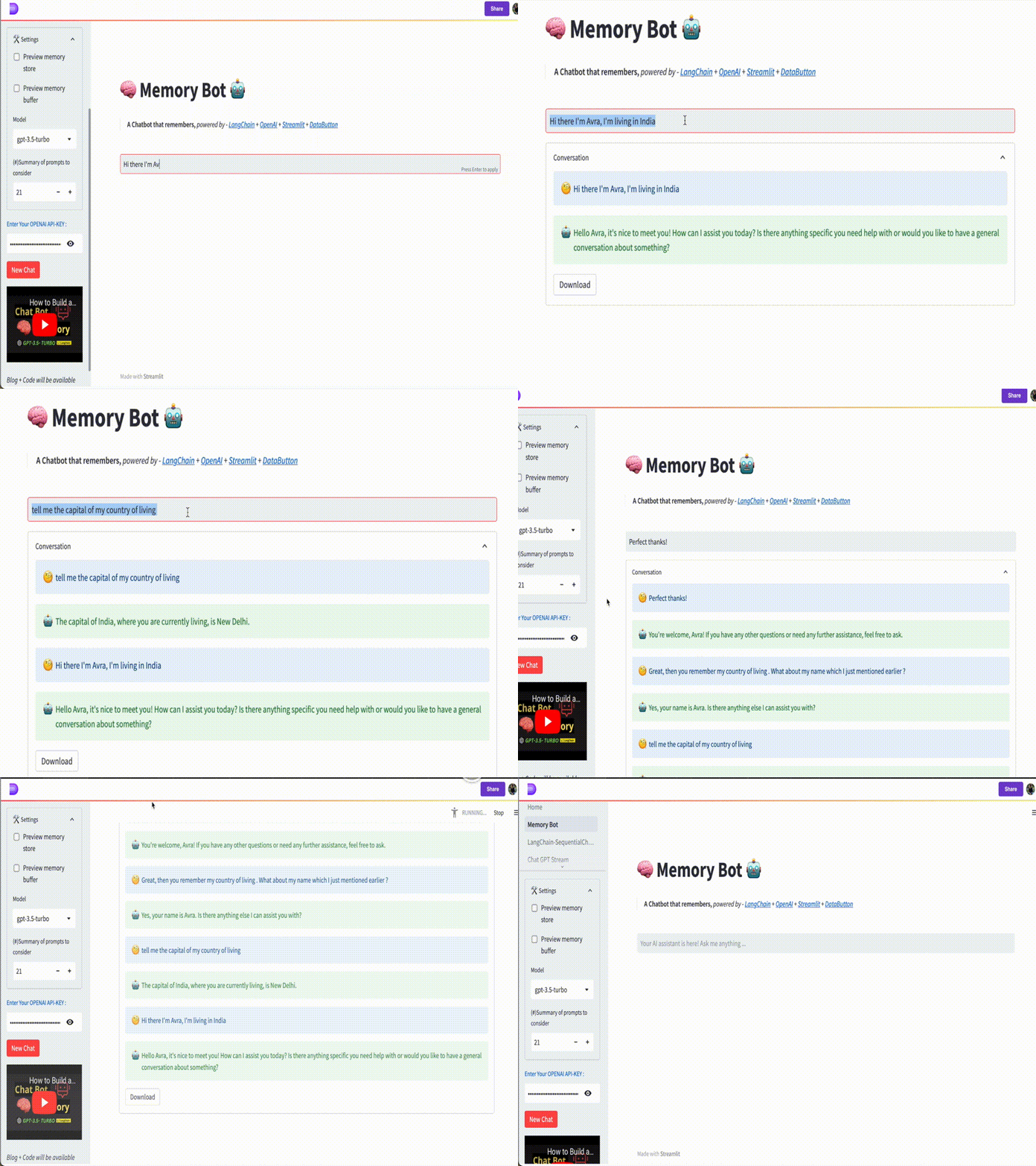
We can deploy our app from the local host to the DataButton server, using the publish page button (alternatively, you can also push to GitHub and serve in Streamlit Cloud ). A unique link will be generated which can be shared with anyone globally. For instance, I've deployed the Web App already in the DataButton server ( link to the live app ).
Refer to my YouTube video on this very similar aspect and live code each steps with me in 15 mins,
Conclusion
We have successfully built a Memory Bot that is well aware of the conversations and context and also provides real human-like interactions. I strongly feel this memory bot can be further personalized with our own datasets and extended with more features. Soon, I'll be coming with a new blog post and a video tutorial to explore LLM with front-end implementation.
👨🏾💻 GitHub ⭐️| 🐦 Twitter | 📹 YouTube | ☕️ BuyMeaCoffee | Ko-fi💜
Hi there! I'm always on the lookout for sponsorship, affiliate links, and writing/coding gigs to keep broadening my online content. Any support, feedback and suggestions are very much appreciated! Interested? Drop an email here: avrab.yt@gmail.com
Related Blogs
- Getting started with LangChain — A powerful tool for working with Large Language Models
- Summarizing Scientific Articles with OpenAI ✨ and Streamlit
- Build Your Own Chatbot with openAI GPT-3 and Streamlit
- How to 'stream' output in ChatGPT style while using openAI Completion method
- ChatGPT helped me to built this Data Science Web App using Streamlit-Python
Recommended YouTube Playlists
Links, references, and credits
- LangChain Docs : https://langchain.readthedocs.io/en/latest/index.html
- LangChain GitHub Repo : https://github.com/hwchase17/langchain
- Streamlit : https://streamlit.io/
- DataButton : https://www.databutton.io/
- Open AI document
- Open AI GPT 3.5 Model family