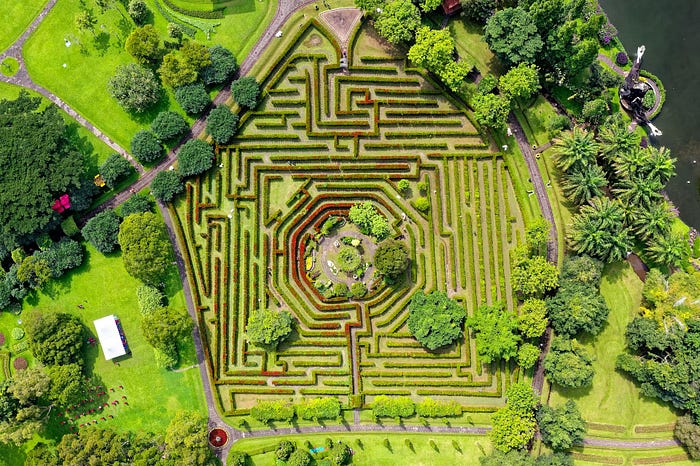


Solving a maze programmatically is fascinating, but visualizing the process brings it to life! In this tutorial, we'll create a real-time maze traversal animation in the console using Python. We'll use Breadth-First Search (BFS) and Depth-First Search (DFS) algorithms to find a path through the maze and visualize the traversal step-by-step.
The complete source code for the maze solvers can be found here: https://github.com/realcaptainsolaris/mazesolver
Representing the Maze
First, we need to represent the maze as a 2D grid:
0represents open cells that can be traversed.1represents walls or blocked cells. These are the dungeon walls.- The start and end points will be defined by their grid coordinates.
Here's an example of a 10x10 maze:
maze = [
    [0, 1, 0, 0, 0, 1, 0, 0, 1, 0],
    [0, 1, 0, 1, 0, 1, 0, 1, 1, 0],
    [0, 0, 0, 1, 0, 0, 0, 0, 0, 0],
    [1, 1, 0, 1, 1, 1, 0, 1, 1, 1],
    [0, 0, 0, 0, 0, 1, 0, 0, 0, 0],
    [0, 1, 1, 1, 0, 1, 0, 1, 1, 0],
    [0, 1, 0, 0, 0, 0, 0, 1, 0, 0],
    [0, 1, 1, 1, 1, 1, 1, 1, 0, 1],
    [0, 0, 0, 0, 0, 0, 0, 0, 0, 1],
    [1, 1, 1, 1, 1, 1, 0, 1, 0, 0],
]

start = (0, 0)  # Starting position
end = (9, 9)    # Ending position
BFS and DFS Solvers
Breadth-First Search (BFS) and Depth-First Search (DFS) are two fundamental algorithms for exploring mazes or graphs, with BFS excelling at finding the shortest path and DFS focusing on deep exploration.
BFS Solver (Shortest Path Finder)
Breadth-First Search (BFS) is an algorithm used to traverse or search data structures like graphs, trees, or grids (such as mazes). Unlike DFS, which goes deep into one branch before backtracking, BFS explores all neighbors of a node before moving deeper.
This makes BFS ideal for finding the shortest path in an unweighted grid. BFS uses a queue to keep track of nodes to explore. This ensures that nodes are processed in the order they are discovered.
Algorithm Walkthrough
Initialization
- Start with the queue containing the starting node:
[(0, 0)]. - Mark the starting node as visited:
visited[(0, 0)] = True. - Use a
parentsdictionary to keep track of how we reached each node, which will help reconstruct the path.
Exploration Logic
- Dequeue a node (this is the current node).
- If the current node is the goal, stop and reconstruct the path.
- For each of the node's valid neighbors (up, down, left, right):
- Check if it is within bounds and not a wall (
0). - Check if it hasn't been visited.
- Mark it as visited, enqueue it, and record its parent.
- If the queue becomes empty without finding the goal, there is no path.
from collections import deque


def bfs_maze_solver(maze, start, end):
    rows, cols = len(maze), len(maze[0])
    visited = [[False for _ in range(cols)] for _ in range(rows)]
    queue = deque([start])
    parents = {start: None}
    visited[start[0]][start[1]] = True

    directions = [(0, 1), (1, 0), (0, -1), (-1, 0)]  # Right, Down, Left, Up

    while queue:
        x, y = queue.popleft()

        if (x, y) == end:
            return reconstruct_path(parents, start, end)

        for dx, dy in directions:
            nx, ny = x + dx, y + dy
            if is_valid_move(maze, visited, nx, ny):
                visited[nx][ny] = True
                queue.append((nx, ny))
                parents[(nx, ny)] = (x, y)

    return None  # No path found
DFS Solver (Explores Deeply)
Depth-First Search (DFS) is a fundamental algorithm used to traverse or search through data structures like graphs, trees, and mazes. It works by exploring as far as possible along each branch before backtracking. Depth-First Search (DFS) goes as deep as possible in one direction before backtracking. It does not guarantee the shortest path.
Let's walk through how DFS works in this maze.
Initialization
- Start with the stack containing the starting node,
(0, 0). - Mark
(0, 0)as visited. - The stack will help keep track of nodes to explore next.
Exploration Logic
- Pop a node from the stack (this is the current node).
- If the current node is the goal, stop.
- Explore all possible neighbors (up, down, left, right).
- For each valid neighbor:
- Check if it is within bounds.
- Check if it is not a wall (
0). - Check if it hasn't been visited.
- Push the neighbor onto the stack and mark it as visited.
If the stack becomes empty without finding the goal, there is no path.
The Python Code
def dfs_maze_solver(maze, start, end):
    rows, cols = len(maze), len(maze[0])
    visited = [[False for _ in range(cols)] for _ in range(rows)]
    stack = [start]
    parents = {start: None}
    visited[start[0]][start[1]] = True

    directions = [(0, 1), (1, 0), (0, -1), (-1, 0)]  # Right, Down, Left, Up

    while stack:
        x, y = stack.pop()

        if (x, y) == end:
            return reconstruct_path(parents, start, end)

        for dx, dy in directions:
            nx, ny = x + dx, y + dy
            if is_valid_move(maze, visited, nx, ny):
                visited[nx][ny] = True
                stack.append((nx, ny))
                parents[(nx, ny)] = (x, y)

    return None  # No path found
Path Reconstruction Helper
This helper function backtracks from the endpoint to reconstruct the path.
def reconstruct_path(parents, start, end):
    path = []
    current = end
    while current != start:
        path.append(current)
        current = parents[current]
    path.append(start)
    return path[::-1]
Animation in the Console
To animate the traversal, we need a function that updates the maze grid with each step. We'll use:
time.sleepfor delays between steps.os.system('cls' if os.name == 'nt' else 'clear')to clear the console.
Maze Printing Function
import os
import time

def print_maze(maze, current=None, path=None):
    maze_copy = [row[:] for row in maze]
    if path:
        for x, y in path:
            maze_copy[x][y] = '*'
    if current:
        x, y = current
        maze_copy[x][y] = 'O'  # Highlight current position

    os.system('cls' if os.name == 'nt' else 'clear')

    for row in maze_copy:
        print(' '.join(str(cell) for cell in row))
    print("\n")
Animate the Traversal
This function walks through the path, updating the grid with each step.
def animate_maze_walk(maze, start, end, path, delay=0.3):
    for pos in path:
        print_maze(maze, current=pos, path=path[:path.index(pos)])
        time.sleep(delay)
    print_maze(maze, current=None, path=path)  # Final path
    print("Path traversal complete!")
Running the Animation
Finally, solve the maze using BFS and DFS and animate the results.
bfs_path = bfs_maze_solver(maze, start, end)
print("Animating BFS Path:\n")
if bfs_path:
    animate_maze_walk(maze, start, end, bfs_path, delay=0.2)
else:
    print("No path found using BFS.")

dfs_path = dfs_maze_solver(maze, start, end)
print("Animating DFS Path:\n")
if dfs_path:
    animate_maze_walk(maze, start, end, dfs_path, delay=0.2)
else:
    print("No path found using DFS.")
Output and Observations
When you run the code, you'll see the maze update in real-time as the algorithm traverses it.
BFS Path (Shortest Path Guaranteed)
O 1 0 0 0 1 0 0 1 0
* 1 0 1 0 1 0 1 1 0
* * * 1 0 0 0 0 0 0
1 1 * 1 1 1 0 1 1 1
0 0 * * * 1 0 0 0 0
0 1 1 1 * 1 0 1 1 0
0 1 0 0 * * * 1 0 0
0 1 1 1 1 1 1 1 0 1
0 0 0 0 0 0 0 0 * 1
1 1 1 1 1 1 0 1 * *
In Plain English 🚀
Thank you for being a part of the In Plain English community! Before you go:
- Be sure to clap and follow the writer ️👏️️
- Follow us: X | LinkedIn | YouTube | Discord | Newsletter | Podcast
- Create a free AI-powered blog on Differ.
- More content at PlainEnglish.io