We live in the age of convenience. A single click on "Sign in with Google" saves us from the password fatigue of modern life. It's a modern miracle.
But what if this miracle concealed a critical design flaw? Not a complex bug, but a simple, logical mistake with devastating consequences.
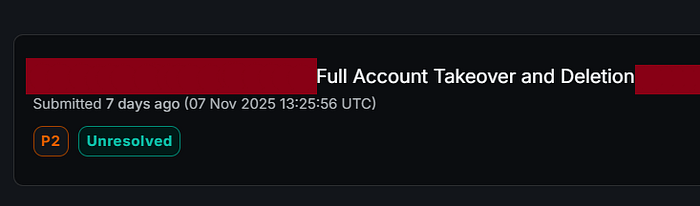
I found one. This flaw didn't just allow an attacker to hijack an account. It gave them the power to obliterate it from the internet — permanently.

The Core Problem
Most apps offer a duality of entry:
- The Classic: Email and Password.
- The Modern: "Sign in with Google" (OAuth).
The vulnerability was in the handshake between these two worlds. The application's logic was dangerously simplistic:
"If an account with this email already exists — whether created by password or by Google — they must be the same person. Merge them automatically."

This was a "blind merge." The system trusted the email address as a universal key without ever verifying who held the original copy.
The Attack: A Tale of Digital Identity Theft
Let's walk through how this flaw could be weaponized. Imagine my target is victim@gmail.com.
Step 1: Laying the Trap I, as the attacker, go to the application and sign up the old-fashioned way:
- Email:
victim@gmail.com - Password:
MyEvilPassword123
Instantly, I've created a "shadow" account in the victim's name. It's dormant, unverified, but very real. And I hold the only key.
Step 2: The Innocent Victim
Weeks later, you, the real victim@gmail.com, decide to try the app. You choose the convenient "Sign in with Google" button. You authenticate successfully. The app welcomes you, showing your proper name and profile picture from Google. Everything seems perfect.
Step 3: The Silent Merge (The ATO)
This is where the betrayal happens silently in the background. The server thinks: "Aha! We have a victim@gmail.com already. This Google user must be the owner of that existing account. Let's link them together."
In an instant, your legitimate Google identity is fused with my malicious, password-protected "shadow" account.
Step 4: The Aftermath: One Account, Two Owners The account now has two legitimate keys:
- Your Key: Your secure Google login.
- My Key: The password
MyEvilPassword123.
I can now log in anytime you can. I can read your private messages, access your data, and monitor your activity. But a simple takeover was just the beginning. The real catastrophe was yet to come.
The Twist: From Takeover to Total Annihilation

Most account compromises have a recovery path. You can reset your password, revoke sessions, and fight back.
This flaw had no such recourse.
While you were using the app, blissfully unaware, I could log in with my password — the one you never created and knew nothing about. I would navigate to "Account Settings," find the ominous "Delete Account" button, and click it.
The system would see a valid login credential and execute the command without a second thought.
Poof. The account is permanently deleted. All your data, history, and access — gone forever. You are locked out with no recourse. I used a password you never knew existed to erase your digital presence completely.