
Before initial access in any Red Team, Pentest, or cybersecurity exploration operation, reconnaissance (or recon) is mission-critical. That's where tools like AMASS become invaluable.
⚔️ AMASS: Your OSINT & Recon Weapon
Amass is a powerful, modular open-source tool by OWASP for network mapping and external asset discovery.
✅ Key Recon Capabilities:
Passive Recon
Gathers data without touching target systems. Uses public sources (Censys, Shodan, VirusTotal, etc). Safe & stealthy.
Active Recon
Resolves DNS, scans networks, reaches out to discover additional assets. Faster and more aggressive.
Subdomain Enumeration
Finds hidden subdomains, often used in attacks (e.g., admin.dev.target.com)
Brute Forcing
Uses wordlists to find undiscovered subdomains
ASN/IP/WHOIS Mapping
Maps the IP space belonging to a company
Graph View (viz)
Visualize the relationships between assets
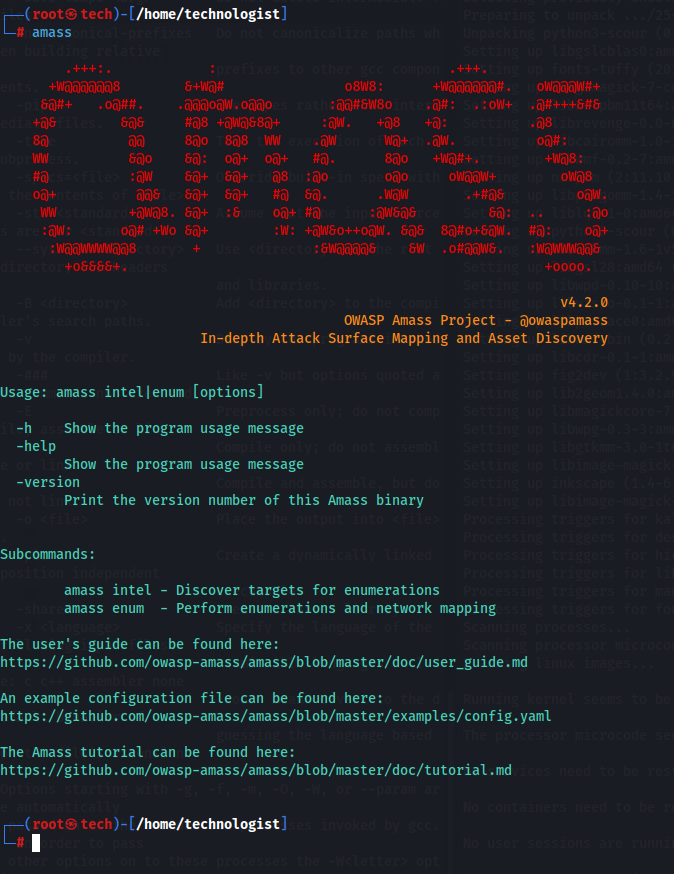
Common Amass Commands
0. Help and Usage Information
amass -h

amass --help
1. Basic Usage
amass enum -d <target_domain>2. File Input
- This command reads a list of domains from a file and discovers subdomains for each one.
amass enum -df domains.txt3. Output to File
- This command saves the discovered subdomains in a specified output file. This gives the Amass tool the ability for post-test analysis.
amass enum -d <target_domain> -o results.txt

amass enum -d example.com -o results.csv

amass enum -d example.com -o results.json
4. Brute Force Subdomain Enumeration
- Use brute forcing to discover subdomains with a wordlist.
amass enum -d <target_domain> -brute -w <wordlist>
amass enum -d example.com -brute -w wordlist.txt
5. DNS Resolution
- Resolve discovered subdomains to their respective IP addresses.
amass resolve -d <target_domain>6. Verbose Output
- This command enables verbose output for detailed information about the enumeration process.
amass enum -d <target_domain> -v7. Data Sources
- Specify data sources to use during enumeration.
amass enum -d <target_domain> -src8. Rate Limit
.Limits the number of requests per second during enumeration.
amass enum -d example.com -rl 1009.Timeout Configuration
.Sets a timeout for requests to avoid hanging.
amass enum -d example.com -timeout 1010.Data Sources
.Specifies data sources to use during enumeration.
amass enum -d example.com -src11.Passive Mode AND Active Mode
Conducts active enumeration by querying DNS and other services AND also passive enumeration without making direct requests.
amass enum -passive -d example.com
amass enum -active -d example.com
12.DNS Resolution
Resolves discovered subdomains to their corresponding IP addresses.
amass resolve -d example.com13.Silent Mode
Suppresses output to display only errors.
amass enum -d example.com -silent14.Verbose Output
Enables verbose output for detailed information about the discovery process.
amass enum -d example.com -vThe Bottom Line
Amass isn't just about finding subdomains; it's a complete recon powerhouse that can seriously level up your bug bounty and penetration testing game. By mastering these commands and understanding its different modes, you'll uncover a much broader range of digital assets, dramatically increasing your chances of finding those critical vulnerabilities.