
In the world of natural language processing (NLP), vector embeddings have become a powerful tool for representing and analyzing text documents. These embeddings, which are numerical representations of text, enable us to perform a wide range of tasks, including semantic similarity searches. However, implementing semantic search in web applications often requires a backend database to store and retrieve vectors, which can introduce challenges related to privacy, latency, and cost. To address these challenges, I'm excited to introduce Vector Storage — a lightweight vector database designed specifically for the browser. Vector Storage allows you to store document vectors in the browser's local storage, enabling you to perform semantic similarity searches directly on the client side.
In addition to its core functionality as a vector database, Vector Storage can also be used as an external memory module for LLMs, such as GPT-3.5, to provide additional context and improve the quality of the generated text. In this blog post, I'll walk you through the key features of Vector Storage and demonstrate how you can use it to enhance the search capabilities of your web application and enrich language generation tasks with context awareness.
Why Vector Storage?
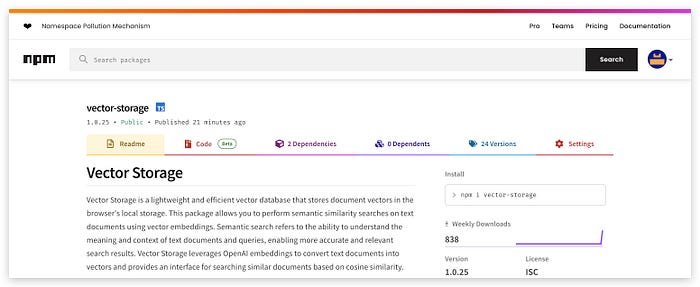
Vector Storage is designed to store document vectors in the browser's local storage, allowing you to perform semantic similarity searches on text documents using vector embeddings. The package leverages OpenAI embeddings to convert text documents into vectors and provides an interface for searching similar documents based on cosine similarity.
Vector-Storage Package
Installation
To get started with Vector-Storage, you can easily install the package using npm.
npm i vector-storageUsage
Using Vector-Storage is straightforward. Here's a basic example to demonstrate how you can create an instance of VectorStorage, add a text document to the store, perform a similarity search, and display the search results:
import { VectorStorage } from "vector-storage"

// Create an instance of VectorStorage
const vectorStore = new VectorStorage({ openAIApiKey: "your-openai-api-key" });
// Add a text document to the store
await vectorStore.addText("The quick brown fox jumps over the lazy dog.", {
 category: "example"
});
// Perform a similarity search
const results = await vectorStore.similaritySearch({
 query: "A fast fox leaps over a sleepy hound."
});
// Display the search results
console.log(results);"
In this example, we first import the VectorStorage class from the vector-storage package. We then create an instance of VectorStorage by providing the OpenAI API key. Next, we add a text document to the store using the addText method, which also allows us to associate metadata (e.g., category) with the document. Finally, we perform a similarity search using the similaritySearch method and display the results.
Key Features
- Store and Manage Document Vectors: Vector-Storage allows you to store document vectors in the browser's local storage, making it easy to manage and retrieve documents for similarity searches.
- Semantic Similarity Searches: The package enables you to perform similarity searches on text documents using vector embeddings, allowing for more accurate and contextually relevant search results.
- Filtering Search Results: You can filter search results based on metadata or text content, giving you more control over the documents you retrieve.
- Automatic Storage Management: The LRU mechanism ensures that the storage size is automatically managed, removing the least recently used documents when the storage limit is reached.
How it Works?
- Text-to-Vector Conversion: Vector Storage leverages OpenAI embeddings to convert text documents into numerical vectors. These vectors capture the semantic meaning of the text and are used for similarity searches.
- Storing Vectors in Local Storage: Once the text documents are converted into vectors, Vector Storage stores these vectors in the browser's local storage. Local storage is a client-side storage solution that allows data to be stored directly on the user's device.
- Semantic Similarity Searches: Vector Storage provides an interface for performing similarity searches on the stored document vectors. Users can input a query text, which is converted into a vector, and Vector Storage calculates the cosine similarity between the query vector and the stored document vectors. The search results are ranked based on similarity scores, with higher scores indicating greater semantic similarity.
- Filtering Search Results: Users can filter search results based on metadata or text content. This gives users more control over the documents they retrieve and allows them to narrow down the search results according to specific criteria.
- LRU Storage Management: Vector Storage implements a Least Recently Used (LRU) mechanism to manage storage size. When the storage limit is reached, the least recently used documents are automatically removed to make space for new entries. This ensures that the storage size is kept within the browser's local storage limits.
Enhancing GPT Models with Long-Term Memory
GPT models, such as GPT-3.5/4, are powerful language models capable of generating human-like text. However, they lack long-term memory, meaning that they have no knowledge of the context beyond the provided prompt. Vector Storage can help address this limitation by serving as an external memory module for GPT models.
By storing relevant context vectors in Vector Storage, developers can perform semantic searches to retrieve contextually similar documents. These documents can then be fed into the GPT model's prompt, providing the model with additional context and improving the quality of the generated text.
Pros and Cons of Using Vector Storage
Pros:
- Privacy and Security: Vector Storage ensures that sensitive data remains on the user's device, enhancing privacy and security.
- Offline Access: Vector Storage allows users to perform semantic searches even when offline.
- Reduced Latency: Vector Storage eliminates the need for network round-trips to a remote database.
- Cost-Effective: Vector Storage is free to use and does not incur cloud storage or data transfer costs.
Cons:
- Storage Limitations: The browser's local storage has a size limit of approximately 5MB, which may limit the number of document vectors that can be stored. Vector Storage addresses this by implementing an LRU mechanism to manage storage size.
- Device-Specific: The vectors stored in local storage are specific to the user's device and browser, meaning that the data is not automatically synchronized across multiple devices.
Use Cases for Vector Storage
Vector Storage is a powerful tool that enables semantic similarity searches using vector embeddings stored in the browser's local storage. While cloud-based vector databases offer many benefits, there are specific scenarios where using Vector Storage with local storage can provide distinct advantages:
- Privacy and Data Security: Vector Storage keeps user data on the client-side by storing vectors in the browser's local storage. This ensures that sensitive or private information is not transmitted to external servers, making it a suitable choice for applications that prioritize user privacy and data security.
- Low Latency and High Performance: By performing similarity searches directly within the browser, Vector Storage eliminates the need for network requests to a remote server. This results in lower latency and improved performance, which is essential for applications that require real-time search responsiveness.
- Offline Functionality: Vector Storage allows users to conduct similarity searches even when offline or experiencing limited internet connectivity. This offline availability is valuable for applications that need to provide consistent search functionality regardless of network conditions.
- Cost-Effective: Vector Storage leverages local storage, reducing the need for server-side infrastructure and associated costs. This cost-effective approach is particularly beneficial for small businesses, individual developers, and projects with budget constraints.
- User Empowerment: With Vector Storage, users have full control over their data, including the ability to manage and delete stored vectors as needed. This level of control empowers users to make informed decisions about their data usage.
Open to Contributions
As an open-source project, Vector Storage welcomes contributions from the developer community. Whether you're interested in adding new features, fixing bugs, or improving documentation, your contributions are greatly appreciated. The project follows a standard contribution workflow, and all code is licensed under the MIT License.
Conclusion
Vector Storage is a powerful and flexible solution for implementing semantic search in web applications. By leveraging the capabilities of local storage and OpenAI embeddings, Vector Storage provides a privacy-conscious and cost-effective alternative to cloud-based vector databases. Additionally, its ability to serve as an external memory module for GPT models opens up new possibilities for enhancing language generation tasks.
If you're a developer looking to enhance the search capabilities of your web application or improve the context awareness of your GPT models, I encourage you to give Vector Storage a try. Feel free to explore the code, provide feedback, and contribute to the project.
Thank you for reading, and I look forward to your feedback and contributions!